How to size servers for traffic spikes on Shopware 6?
Quick Answer
Most Shopware 6 stores fail during traffic spikes because they size servers around average traffic instead of peak checkout load. The right approach is to size around concurrent active users, cache hit ratio, and background jobs—not monthly visits. You also need separate scaling plans for PHP workers, MySQL, Redis, Elasticsearch/OpenSearch, and queue processing. This page walks through a practical sizing process that works for flash sales, influencer traffic, and seasonal campaigns.
Before You Start
- ✦ Analytics access — you need real traffic and conversion numbers instead of guesses
- ✦ Infrastructure visibility — CPU, RAM, PHP-FPM, MySQL, and Redis metrics matter more than uptime checks
- ✦ Load testing environment — production is the wrong place to discover bottlenecks
Measure peak concurrency
Start with the busiest 15-minute window your store has ever handled. Monthly sessions are mostly useless for infrastructure sizing. What matters is how many users are active at the same time during checkout, search, cart updates, and campaign launches. A store doing 300,000 monthly visits can still crash from a short burst of 2,000 simultaneous users during a flash sale.
- Export peak sessions from GA4 or server logs
- Estimate simultaneous active users during campaigns
- Separate browsing traffic from checkout traffic
Separate application layers
Running Shopware, MySQL, Redis, and OpenSearch on one server works for small stores, but it becomes unstable during spikes. Shopware 6 depends heavily on cache access and search indexing. Once one service starts exhausting CPU or memory, the entire stack slows down. Splitting workloads gives you predictable scaling and cleaner debugging.
- Keep PHP and Nginx on dedicated application nodes
- Move MySQL to its own high-memory server
- Use separate Redis and OpenSearch instances
Size PHP workers properly
PHP-FPM workers are usually the first hard limit during a spike. Every active uncached request consumes one worker. If all workers are busy, requests queue up and response times explode. Most medium-sized Shopware stores need far more workers than default hosting setups provide.
- Measure average PHP worker memory usage
- Reserve RAM for MySQL and Redis first
- Set max_children based on remaining memory
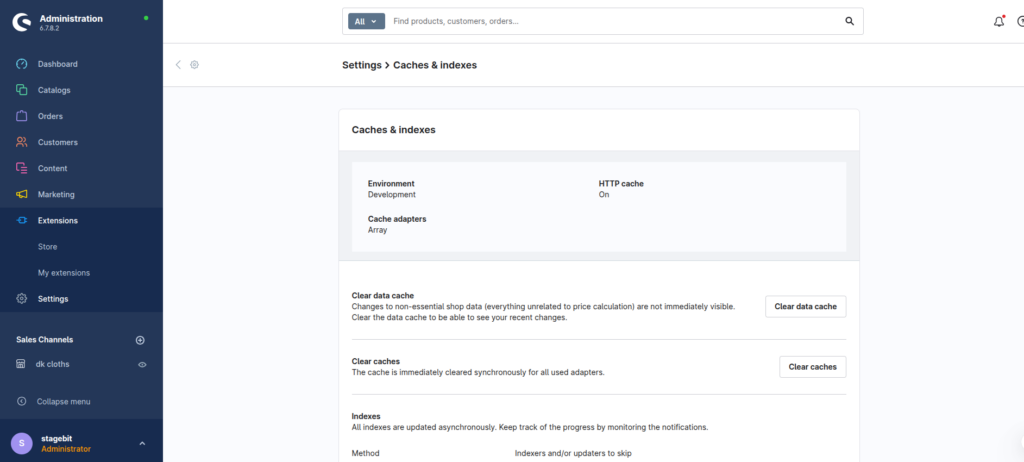
Maximise cache hit rates
Full-page caching changes server sizing completely. A cached category page might use almost no PHP resources, while an uncached page can hit multiple database queries and Twig rendering operations. Stores with strong HTTP caching often handle five to ten times more traffic on the same infrastructure.
- Use Varnish or CDN edge caching
- Reduce unnecessary session creation
- Cache anonymous storefront traffic aggressively
Load test realistic traffic
Synthetic homepage tests are not enough. You need mixed traffic patterns that include search, cart updates, login flows, and checkout actions. Most infrastructure survives browse traffic but fails under checkout concurrency because sessions, stock validation, and payment calls increase database pressure fast.
- Simulate logged-in and guest users separately
- Monitor database locks during checkout flows
- Measure response times under sustained load
Plan elastic scaling
Permanent overprovisioning gets expensive fast. The better option is horizontal scaling for application nodes combined with aggressive caching and monitoring. Your infrastructure should scale before users feel the impact, not after CPU reaches 100 percent. This matters most during launches, TV campaigns, and influencer drops.
- Use autoscaling groups for PHP nodes
- Keep sessions and cache in Redis
- Create alert thresholds before campaigns launch
Shopware Scaling Checklist
0 of 8 completeMistakes Most Developers Make
! Sizing from monthly traffic
What happens: The store survives normal days but crashes during promotions.
Fix: Size infrastructure around peak concurrent users and checkout load.
! Ignoring database bottlenecks
What happens: Checkout slows down even when frontend CPU still looks healthy.
Fix: Monitor slow queries, lock contention, and MySQL memory usage during load tests.
! Trusting autoscaling too much
What happens: New nodes come online too slowly to save active sessions during a spike.
Fix: Combine autoscaling with aggressive caching and pre-warmed infrastructure.
Key Takeaway
The short version: successful Shopware 6 scaling starts with measuring concurrent traffic properly, then separating infrastructure layers so one bottleneck does not take down the whole store. Strong caching usually matters more than raw server size. Most crashes happen because PHP workers, Redis, or MySQL were never tested under real checkout load. Build around peak campaign traffic, not average traffic, and test repeatedly before major launches. Start with Step 1—that one alone handles most of it.
Related Answers

Still need help?
Talk to our Shopware experts
We've handled GDPR/CCPA compliance for dozens of EU & US Shopware stores.