How to handle UK VAT and NI numbers after Brexit in Shopware 6?
Quick Answer
After Brexit, Shopware 6 stores selling into the UK need to handle GB VAT numbers and XI Northern Ireland VAT numbers differently. GB registrations usually follow UK domestic VAT rules, while XI numbers still participate in parts of the EU VAT framework for goods. The safest setup is separating customer tax rules, validating VAT IDs correctly, and mapping shipping countries carefully so B2B tax exemptions only apply where legally allowed. The steps below cover the setup most stores miss.
Before You Start
- ✦ A confirmed UK VAT registration — you need the correct GB or XI registration format before configuring exemptions.
- ✦ Defined sales regions — your tax logic changes depending on UK domestic sales, EU sales, and Northern Ireland goods movements.
- ✦ A staging environment — VAT rule mistakes affect checkout totals immediately, so test before touching production.
Separate UK and EU tax logic
Start by treating the UK as its own tax region instead of leaving it grouped with EU logic. A lot of older Shopware stores still carry pre-Brexit assumptions inside shipping rules and customer groups. Northern Ireland complicates this because XI VAT numbers can still qualify for intra-community treatment for goods. Your goal here is making sure Shopware can apply different tax outcomes based on country, VAT ID format, and shipping destination instead of using one blanket UK rule.
- Create separate tax rules for GB and EU destinations
- Review existing shipping country assignments
- Remove any legacy “EU includes UK” conditions
Configure VAT ID validation
Shopware can store VAT IDs, but validation after Brexit needs extra attention. GB VAT numbers are no longer part of the EU VIES system. XI numbers still are for qualifying Northern Ireland trade involving goods. Most stores now use a third-party VAT validation service or ERP middleware to validate both formats properly. This is where many B2B stores quietly break invoicing workflows because they assume VIES handles everything.
- Allow VAT ID collection during registration
- Validate XI numbers through VIES-compatible tools
- Validate GB numbers through HMRC-compatible services
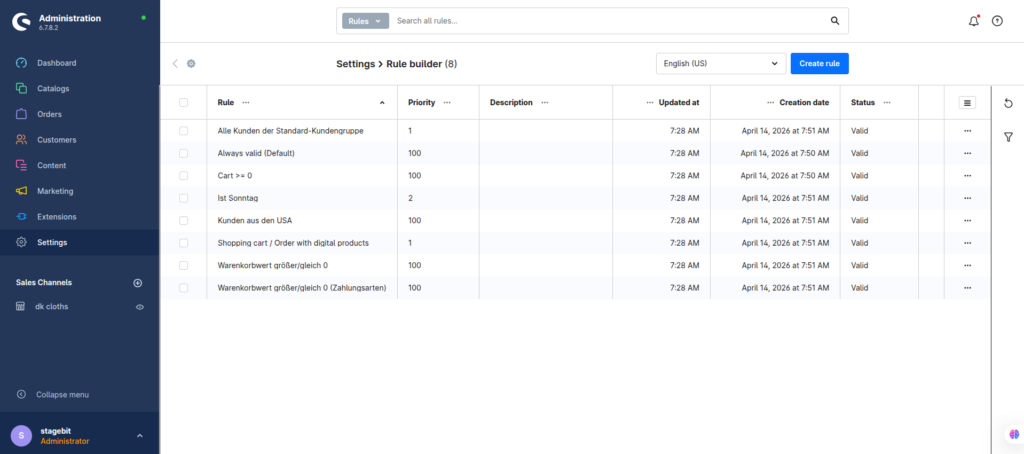
Build customer tax conditions
Next, configure tax rules based on both customer location and VAT status. A UK consumer shipment into Great Britain follows different rules than a VAT-registered Northern Ireland business ordering goods from the EU. You should avoid using customer groups alone for this because checkout destination still matters. Most mature setups combine country conditions, VAT validation status, and shipping region together.
- Create separate B2B and B2C tax conditions
- Apply zero-rating only after successful validation
- Test physical goods and digital products separately
Adjust checkout messaging
Customers get confused fast when VAT totals change during checkout. Make the tax treatment obvious before payment instead of letting invoices explain it later. This matters even more for Northern Ireland orders because many buyers assume XI and GB registrations behave identically. Clear messaging reduces support tickets and helps prevent abandoned B2B orders.
- Show VAT-exclusive pricing where legally appropriate
- Explain VAT validation delays for B2B buyers
- Display tax notes on order confirmation emails
Test every VAT scenario
Do not trust tax configuration without full checkout testing. We usually test at least six scenarios before launch: GB consumer, GB business, EU consumer, EU business, XI business with goods, and exports outside both regions. Also test refunds and invoice generation because tax errors often appear there first instead of at checkout.
- Create test customers for every region
- Verify invoice VAT breakdowns manually
- Check ERP or accounting exports after orders sync
Shopware VAT Configuration Checklist
0 of 6 completeMistakes Most Developers Make
! Treating XI as normal UK
What happens: Northern Ireland B2B orders get taxed incorrectly during EU goods transactions.
Fix: Handle XI VAT IDs separately and test them independently from GB registrations.
! Using customer groups alone
What happens: VAT exemptions trigger even when shipping destinations do not qualify.
Fix: Combine customer type, shipping country, and VAT validation into the same logic.
! Skipping invoice testing
What happens: Checkout totals look correct but exported accounting records fail compliance checks.
Fix: Test invoice PDFs, ERP syncs, and refund flows before launch.
Key Takeaway
The short version: Brexit changed how Shopware stores must handle UK VAT logic, especially for Northern Ireland VAT registrations using the XI prefix. Your safest setup is separating GB and EU tax handling, validating VAT IDs properly, and testing every checkout path before launch. Most tax issues happen because stores still rely on old EU assumptions hidden inside customer groups or shipping rules. And invoice exports usually expose problems long after checkout looked correct. Start with Step 1—that one alone handles most of it.
Related Answers

Still need help?
Talk to our Shopware experts
We've handled GDPR/CCPA compliance for dozens of EU & US Shopware stores.