How to migrate B2B pricing tiers and customer groups into Shopware 6?
Quick Answer
Migrating B2B pricing tiers and customer groups into Shopware 6 usually means rebuilding your pricing structure around Rule Builder, customer groups, and advanced prices. The hard part is not importing the data itself—it’s mapping old platform logic into Shopware’s pricing model without breaking tax handling, discounts, or customer visibility rules. The process below covers how to audit your current setup, structure pricing correctly, import customer assignments, and validate everything before launch.
Before You Start
- ✦ Full export of existing B2B pricing — you need current customer groups, tier logic, contract prices, and SKU mappings before building anything in Shopware.
- ✦ Clear tax strategy — B2B stores often migrate net pricing incorrectly, which creates checkout mismatches later.
- ✦ A staging environment — never test B2B pricing directly on production because indexing and cache rebuilds affect storefront visibility.
Audit existing pricing rules
Start by documenting how pricing currently works on the old platform. Most B2B stores have years of exceptions layered on top of each other—customer-specific prices, quantity breaks, ERP overrides, hidden categories, and negotiated discounts. If you skip this audit, you’ll rebuild bad logic inside Shopware instead of simplifying it. This is also the point where you decide which pricing rules should disappear entirely.
- Export all customer groups and price lists
- Identify duplicate or obsolete pricing rules
- Map special contracts to real business cases
Build customer groups
Shopware 6 handles B2B segmentation through customer groups combined with Rule Builder conditions. Create groups based on actual commercial logic, not department names from the old system. For example, distributors, wholesalers, franchise partners, and VIP trade accounts should each have distinct pricing behavior. Keep the structure simple because every extra group adds maintenance overhead later.
- Create groups for unique pricing behavior only
- Assign tax display settings carefully
- Separate B2B and B2C storefront visibility rules
Configure advanced pricing
Advanced prices are where most B2B pricing logic lives in Shopware 6. You can assign prices per customer group, quantity range, currency, or sales channel. This replaces many custom pricing plugins from Magento or WooCommerce. Keep your pricing hierarchy predictable. Customer-specific contract pricing should override group pricing, and quantity breaks should never conflict with promotional discounts.
- Create quantity-based pricing tiers
- Assign rules to the correct customer group
- Test pricing priority order carefully
Import customer assignments
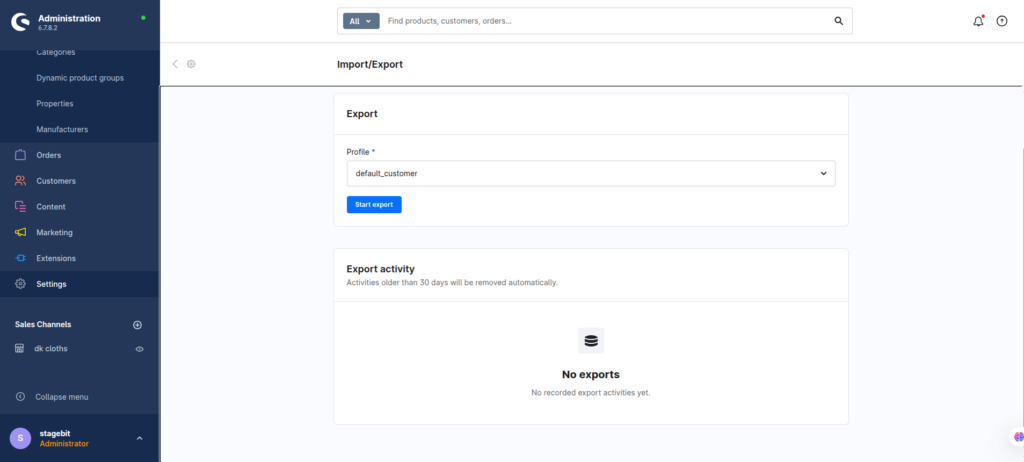
Once your pricing logic exists, import customers and map them to the correct groups. This step is usually automated through CSV imports or middleware connections from the ERP. Validate account assignments in batches instead of checking random users manually. Large B2B stores often have inherited account structures that no longer match real customer contracts.
- Import customers into staging first
- Validate customer group mappings
- Check ERP sync behavior after import
Validate storefront pricing
Final validation matters more than the migration itself. Log in as different B2B account types and test product pages, carts, quotes, and checkout totals. Pricing issues usually appear only when multiple rules overlap. Test edge cases like bulk quantities, VAT exemptions, and promotional discounts together. This catches the problems that tend to appear after launch weekend.
- Test every major customer group
- Validate quantity breaks and discounts together
- Compare totals against the legacy platform
Shopware B2B Migration Checklist
0 of 6 completeMistakes Most Developers Make
! Migrating outdated pricing logic
What happens: Old pricing exceptions become impossible to maintain in Shopware.
Fix: Remove unused rules before migration starts.
! Mixing net and gross pricing
What happens: Customers see one total on product pages and another at checkout.
Fix: Standardise tax display settings across all B2B groups.
! Skipping real account testing
What happens: Hidden pricing conflicts appear only after customers place orders.
Fix: Test pricing using actual migrated customer accounts.
Key Takeaway
The short version: successful B2B pricing migration into Shopware 6 depends on simplifying your old pricing structure before importing anything. Use customer groups and advanced pricing for predictable rule handling, then validate every pricing combination in staging before launch. Most problems come from overlapping discounts, bad tax settings, or incorrect customer assignments. Clean up your pricing model first, then migrate the data second. Start with Step 1—that one alone handles most of it.
Related Answers

Still need help?
Talk to our Shopware experts
We've handled GDPR/CCPA compliance for dozens of EU & US Shopware stores.