How to create location‑based shipping and payment rules?
Quick Answer
In Shopware, you can create location-based shipping and payment rules using the Rule Builder. These rules let you show or hide shipping methods, payment methods, free shipping thresholds, or surcharges based on countries, states, ZIP codes, customer groups, cart totals, and more. The setup usually involves creating reusable rules first, then assigning them to shipping or payment methods correctly.
Before You Start
- ✦ Shipping zones configured — your countries and states must already exist in Shopware settings.
- ✦ At least one shipping method — rules can only be attached to existing methods.
- ✦ Payment plugins installed — payment gateways like Mollie, Stripe, or PayPal need active payment methods first.
Create a new rule
Start by creating a reusable rule instead of configuring conditions directly inside shipping or payment methods. This keeps your setup easier to maintain later. Most stores end up reusing the same country or ZIP code logic across multiple methods, promotions, and Flow Builder automations.
- Click “Create rule”
- Name the rule clearly like “Germany Express Shipping”
- Select conditions based on billing or shipping address
Add location conditions
This is where the actual geography logic happens. Shopware lets you target countries, federal states, ZIP codes, address tags, or even combinations of conditions. For example, you can allow cash on delivery only inside Gujarat or disable express shipping for remote postal codes.
- Select “Shipping address” or “Billing address”
- Choose country, state, or ZIP code filters
- Combine multiple conditions with AND/OR logic
Assign shipping rules
After creating the rule, connect it to the correct shipping method. Shopware checks these rules during checkout and only displays matching methods. This is how you create region-specific shipping options like local pickup, same-day delivery, or international freight.
- Open the shipping method
- Assign the availability rule
- Test checkout with addresses from different regions
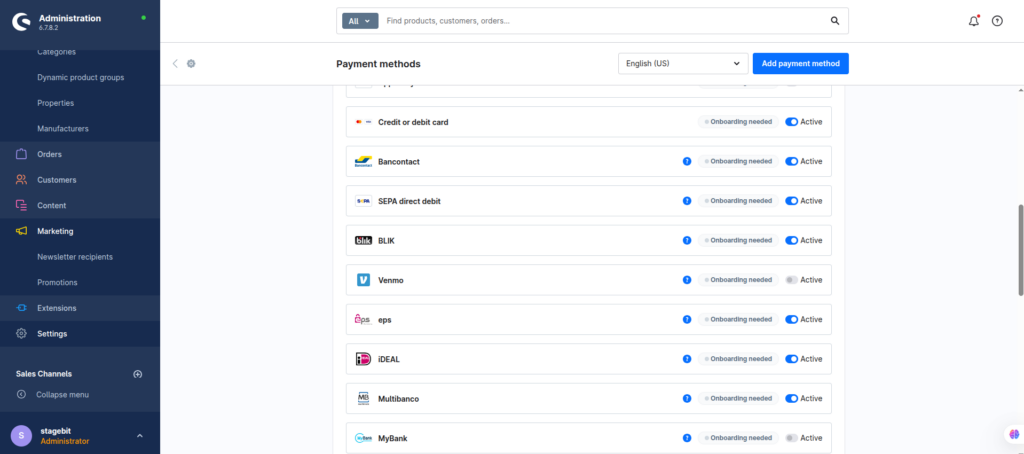
Apply payment restrictions
Payment methods work the same way. You attach Rule Builder conditions to payment gateways so they only appear for specific locations or customer scenarios. This is useful for limiting invoice payments, disabling cash on delivery internationally, or enabling bank transfer only in certain countries.
- Open the payment method settings
- Assign the availability rule
- Save and test with multiple customer addresses
Test every scenario
Rule conflicts are common once stores start stacking shipping, promotion, and payment conditions together. Always test using real checkout flows before going live. One conflicting rule can hide every payment option for a customer segment without showing an obvious admin error.
- Test domestic and international addresses
- Verify guest and logged-in checkout
- Check mobile checkout separately
Shopware Shipping & Payment Rules Checklist
0 of 6 completeMistakes Most Developers Make
! Using billing instead of shipping
What happens: Customers see the wrong shipping or payment methods during checkout.
Fix: Use shipping address conditions for delivery logic unless you intentionally need billing validation.
! Forgetting fallback shipping methods
What happens: Customers can reach checkout without any available delivery option.
Fix: Keep one generic shipping method active as a safety fallback during testing.
! Overcomplicating rule combinations
What happens: Checkout logic becomes hard to debug once promotions and shipping rules overlap.
Fix: Split rules into smaller reusable conditions instead of building one giant rule tree.
Key Takeaway
The short version: Shopware handles location-based shipping and payment logic through Rule Builder conditions attached to shipping and payment methods. The biggest problems usually come from using the wrong address type, missing fallback methods, or stacking too many overlapping rules together. Keep rules modular, test every checkout scenario manually, and always verify what customers actually see on the storefront. Start with Step 1—that one alone handles most of it.
Related Answers

Still need help?
Talk to our Shopware experts
We've handled GDPR/CCPA compliance for dozens of EU & US Shopware stores.