How to show delivery ETA and split shipments at checkout?
Quick Answer
Shopware can show estimated delivery dates and support split shipment logic—but most stores need custom rule handling, inventory logic, or a shipping extension to make it work cleanly at checkout. The main challenge is keeping stock, warehouse availability, and shipping methods aligned so customers see accurate ETAs before placing the order. Here’s how to configure it properly without creating checkout confusion or fulfillment issues later.
Before You Start
- ✦ Inventory accuracy — delivery estimates are only reliable if stock and lead times stay updated.
- ✦ Shipping rule structure — split shipments usually depend on Rule Builder conditions or warehouse logic.
- ✦ Checkout customization access — you’ll normally need theme overrides or a plugin for frontend ETA rendering.
Define fulfillment rules
Start with your real operational rules before touching the checkout UI. Decide when orders should split, which warehouse handles which SKUs, and how backorders affect ETA messaging. Most stores get this backwards and build frontend messages first. That usually creates delivery promises your fulfillment team cannot actually meet. If you use external ERP or WMS software, map those conditions before configuring Shopware shipping methods.
- Separate in-stock and preorder products
- Define warehouse or supplier-based fulfillment rules
- Document which orders should split automatically
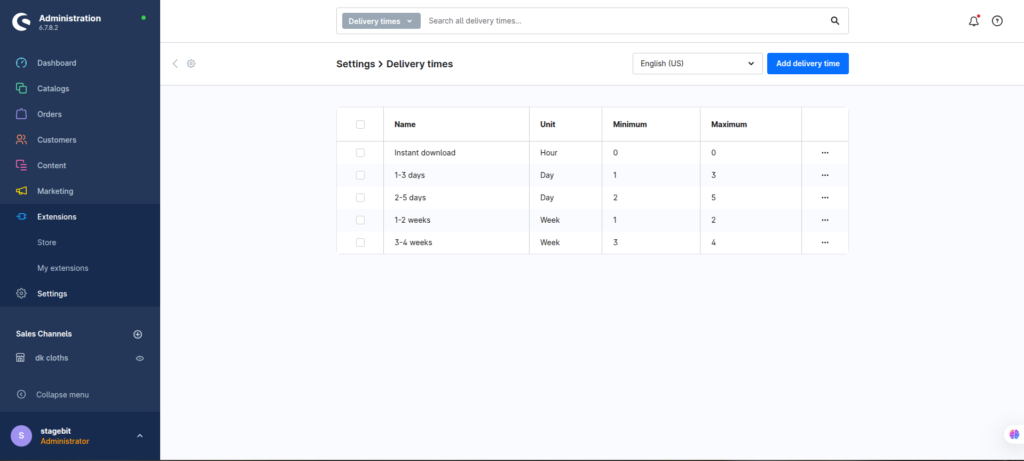
Configure delivery times
Shopware supports delivery time entities out of the box, but most stores only use generic values like “2-3 days.” That is not enough once split shipments enter the checkout flow. Create delivery ranges tied to stock state, supplier lead time, or shipping region. Then attach those delivery profiles directly to products or dynamically through custom logic.
- Create separate ETA profiles for stocked and delayed items
- Assign delivery times to products automatically where possible
- Test mixed carts with multiple stock states
Build split shipment logic
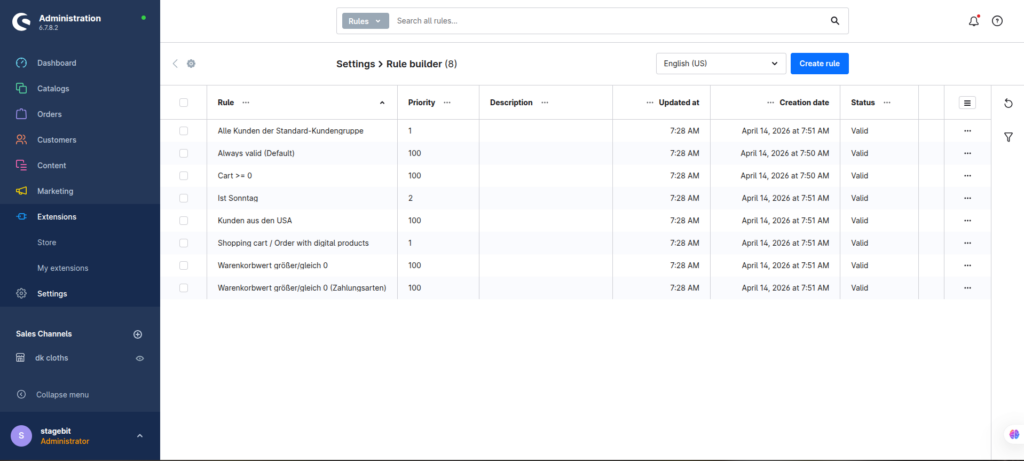
Native Shopware shipping rules handle part of this, but advanced split shipment handling normally needs custom development or a fulfillment plugin. The goal is deciding when to split automatically versus waiting for a combined shipment. For example, many stores ship in-stock items immediately and delay preorder items separately to avoid holding the full order.
- Create rules based on stock availability
- Separate digital, bulky, and supplier-direct items
- Connect warehouse conditions to shipping methods
Customize checkout messaging
Customers need clear shipment expectations before payment. Add messaging directly inside the cart and checkout summary showing which items arrive first and which ship later. This usually requires Twig overrides or a checkout extension because the default storefront does not explain split fulfillment particularly well.
- Show ETA beside each line item where possible
- Explain when multiple packages will arrive separately
- Display shipping costs transparently for split orders
Validate real checkout scenarios
Test combinations that reflect actual customer behavior instead of only single-product carts. Mixed inventory states, international shipping, partial warehouse stock, and discount combinations often break ETA logic unexpectedly. Run end-to-end order tests through fulfillment, not just storefront display checks.
- Test carts with mixed availability products
- Verify ERP and shipping status synchronization
- Review transactional email wording after order placement
Shopware Delivery ETA Checklist
0 of 6 completeMistakes Most Developers Make
! Hardcoding delivery dates
What happens: Customers see impossible delivery promises during busy periods or stock shortages.
Fix: Tie ETA logic to inventory and warehouse conditions instead of static text.
! Ignoring partial stock scenarios
What happens: Checkout looks correct until customers mix preorder and stocked products in one order.
Fix: Test mixed carts early and validate how shipment grouping behaves downstream.
! Hiding shipping cost changes
What happens: Customers abandon checkout when separate shipping fees appear unexpectedly after payment.
Fix: Explain split shipment costs clearly before the payment step.
Key Takeaway
The short version: accurate delivery ETA and split shipment handling in Shopware depends far more on fulfillment logic than frontend design. Most stores need a mix of Rule Builder conditions, delivery time profiles, and custom checkout messaging to make the experience understandable for customers. The biggest problems usually come from inventory mismatches and incomplete testing of mixed-product carts. Keep shipping rules tied directly to warehouse reality and explain split fulfillment clearly before payment. Start with Step 1—that one alone handles most of it.
Related Answers

Still need help?
Talk to our Shopware experts
We've handled GDPR/CCPA compliance for dozens of EU & US Shopware stores.