How to comply with GDPR and consent management in Shopware 6?
Quick Answer
GDPR compliance in Shopware 6 means configuring cookie consent, customer data handling, tracking permissions, and legal content correctly across your storefront and third-party apps. Shopware gives you some privacy tools out of the box, but most stores still need a proper consent manager and extra configuration for Google Analytics, Meta Pixel, newsletters, and embedded services. The setup below covers the parts most stores miss before launch.
Before You Start
- ✦ Privacy policy pages — your consent setup is incomplete without legally reviewed privacy and cookie policies.
- ✦ Inventory of tracking tools — you need to know every script, pixel, chatbot, and marketing app loading on the storefront.
- ✦ Access to your theme or tag manager — many tracking scripts are injected outside the Shopware admin.
Audit all tracking tools
Start by identifying every service collecting customer data or setting cookies. Most stores only think about Google Analytics, but GDPR also applies to Meta Pixel, Hotjar, Klaviyo, YouTube embeds, live chat widgets, affiliate scripts, and CDN-based tracking. If you skip this step, your consent banner may technically work while third-party scripts still load before approval.
- List every marketing and analytics integration
- Check theme files and Google Tag Manager containers
- Document which services need consent before loading
Configure privacy settings
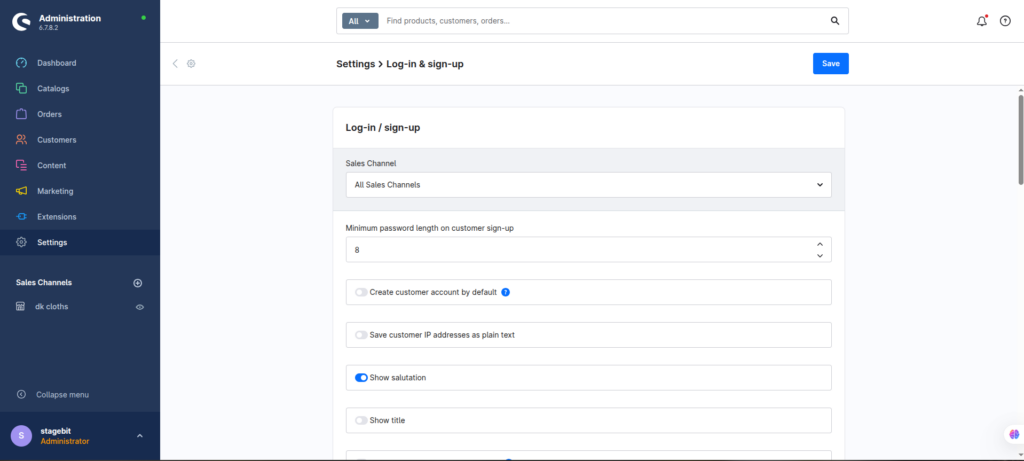
Shopware already includes customer privacy features like account deletion requests, newsletter consent, and privacy policy confirmations during registration. Enable these first before adding external consent tools. This gives you a clean baseline and reduces the amount of custom development needed later.
- Enable privacy policy confirmation checkboxes
- Require double opt-in for newsletters
- Review account deletion and data export options
Install a consent platform
Shopware’s native cookie banner is too limited for most production stores using advanced tracking or marketing automation. A dedicated Consent Management Platform (CMP) gives you granular consent categories, geo-targeting, consent logs, and script blocking before approval. That’s usually required once you add multiple third-party services.
- Choose a CMP compatible with Shopware 6
- Group cookies into analytics, marketing, and functional categories
- Block non-essential scripts until consent exists
Control scripts through consent
Consent only works if tracking scripts actually respect the visitor’s choice. This is where many implementations fail. Analytics and marketing tags must load conditionally after consent, not globally in the theme header. If you use Google Tag Manager, move consent handling into the container logic instead of hardcoding scripts directly into Twig templates.
- Delay analytics tags until consent is granted
- Configure consent triggers inside GTM
- Test opt-in and opt-out scenarios separately
Document and test compliance
GDPR is not a one-time configuration. Every new app, marketing script, or storefront feature can change your compliance status. Build testing into your release process so new integrations cannot bypass consent rules accidentally. We usually add privacy checks into UAT before every major deployment.
- Keep records of consent configurations
- Retest after installing new plugins or scripts
- Review legal copy with a GDPR specialist
Shopware GDPR Checklist
0 of 7 completeMistakes Most Developers Make
! Using banner-only compliance
What happens: Tracking scripts still fire before consent even though the popup appears correctly.
Fix: Block scripts conditionally and verify requests through browser developer tools.
! Forgetting third-party embeds
What happens: YouTube videos, maps, and chat widgets place cookies before consent.
Fix: Add consent wrappers or privacy-enhanced embed modes for external content.
! Ignoring plugin updates
What happens: New plugin versions can inject additional cookies without warning.
Fix: Include privacy validation in your deployment and QA process.
Key Takeaway
The short version: GDPR compliance in Shopware 6 is mostly about controlling how customer data and tracking scripts behave before consent exists. The biggest problems usually come from third-party scripts, tag managers, and plugins that bypass the storefront consent layer. Use a proper consent management platform, enable Shopware’s built-in privacy features, and retest after every new integration. Start with Step 1—that one alone handles most of it.
Related Answers

Still need help?
Talk to our Shopware experts
We've handled GDPR/CCPA compliance for dozens of EU & US Shopware stores.