How do I clone or duplicate a product in Shopify?
Cloning or duplicating products in Shopify saves time when adding similar items. Instead of creating each product from scratch, you can copy an existing product with its descriptions, images, pricing, and variants in just a few clicks.
How to clone or duplicate a product in Shopify
Step 1 – Log in to your Shopify admin
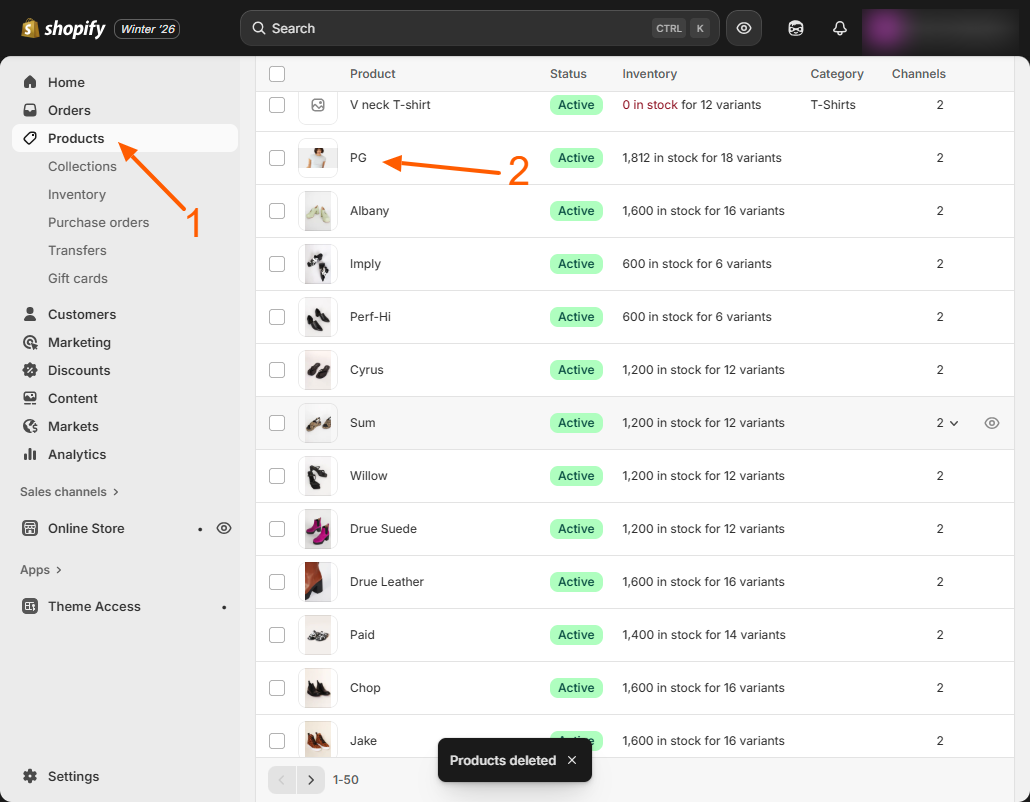
Access your Shopify dashboard and go to Products in the left-hand menu.
Step 2 – Select the product to duplicate
Find the product you want to clone and click on its name to open the product details page.
Step 3 – Click Duplicate
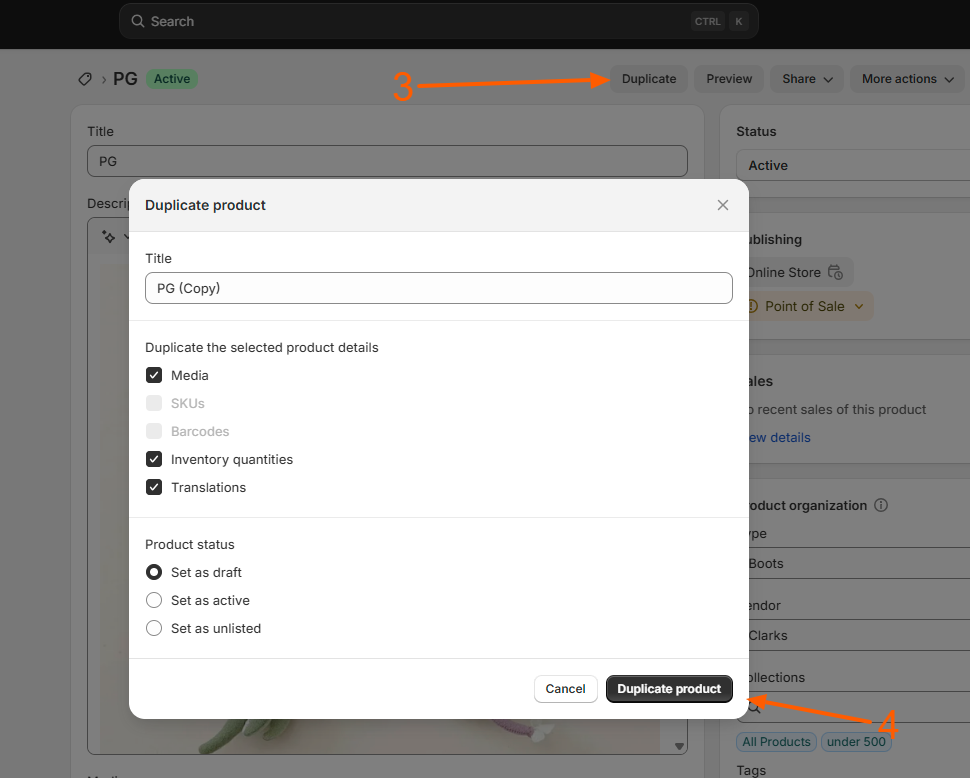
On the top-right of the product page, click the Duplicate button. Shopify will create a copy of the product, including all variants, images, and descriptions.
Step 4 – Edit the duplicated product
Give the new product a unique name, SKU, or barcode if needed. Adjust pricing, inventory, or any other details to differentiate it from the original product.
Step 5 – Save your changes
Click Save to finalize the new product. The duplicated product is now live in your store or ready to be published.
Helpful tips
- Use duplication for seasonal products, color variants, or bundles to save time.
- Check inventory and SKU carefully to avoid conflicts or duplicate SKUs.
- Update product images and descriptions to match the new product.
Duplicating products helps Shopify store owners efficiently manage large catalogs while keeping inventory organized and consistent, ensuring faster product setup and a better shopping experience for customers.
Related Answers

Still need help?
Talk to our Shopify experts
We've handled GDPR/CCPA compliance for dozens of EU & US Shopify stores.