How do I bulk edit prices or inventory in Shopify?
If you want to change prices or stock for many products at the same time in Shopify, you don’t need to edit each product one by one. Shopify gives you a built-in Bulk Editor that helps you update multiple items together in a faster and easier way.
How to bulk edit prices or inventory in Shopify
Step 1 – Open your Shopify admin
Log in to your Shopify admin dashboard.
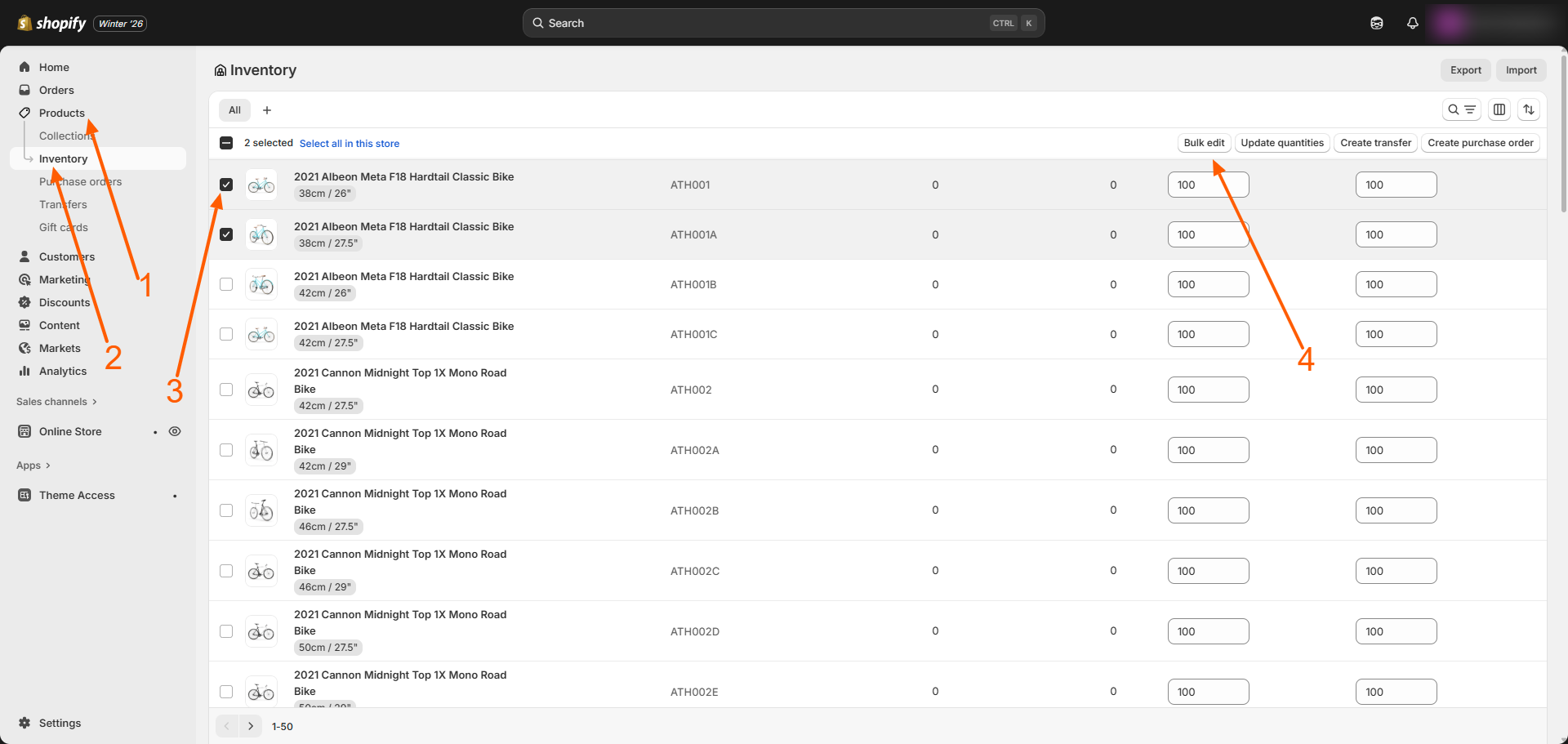
Step 2 – Go to your products or inventory
Click on Products if you want to change prices, or Inventory if you want to update stock.
Step 3 – Select the products or variants
Use the checkboxes to choose all the items you want to edit.
Step 4 – Click on Bulk edit
Click the Bulk edit button at the top of the page.
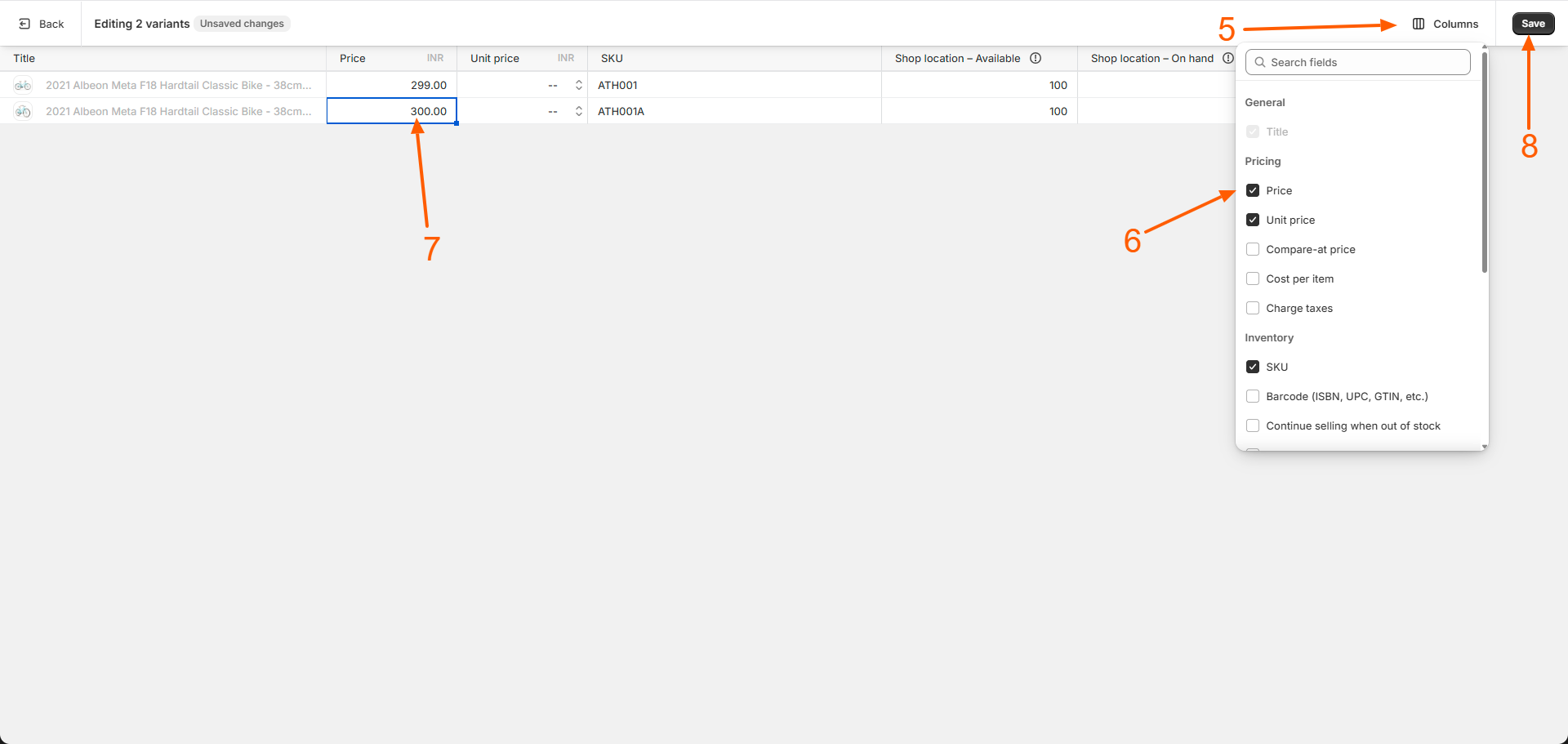
Step 5 – Choose what you want to edit
Click on Columns and select fields like Price, Compare at price, SKU, or Available quantity.
Step 6 – Update your values
Enter the new prices or stock numbers directly in the table.
Step 7 – Save your changes
Click Save to apply all your updates at once.
Important thing to know about variants
If your product has different sizes, colors, or materials, stock is managed for each variant separately. To change variant stock, always use the Inventory section.
Editing a large number of products
If you have a large product list, you can also use a CSV file to upload your changes in bulk. Shopify will email you once the update is complete.
Helpful tips
- Use Chrome, Firefox, or Safari for smoother bulk editing.
- Fix missing SKUs and metafield errors if Shopify shows a save error.
- Sort your inventory before opening the bulk editor to keep variants in order.
This bulk editing method is commonly used by Shopify store owners and growing local businesses to manage prices, sales offers, and stock updates quickly and accurately.
Related Answers

Still need help?
Talk to our Shopify experts
We've handled GDPR/CCPA compliance for dozens of EU & US Shopify stores.