How do I add order notes or gift message fields to the Shopify cart or checkout?
Order notes let customers add special instructions or messages (like gift notes or delivery details) on your cart page. Shopify supports order notes natively, and you can extend gift message features using apps.
Step 1 – Open Theme Editor
→ Go to Online Store → Themes
→ Click Customize on your live (published) theme.
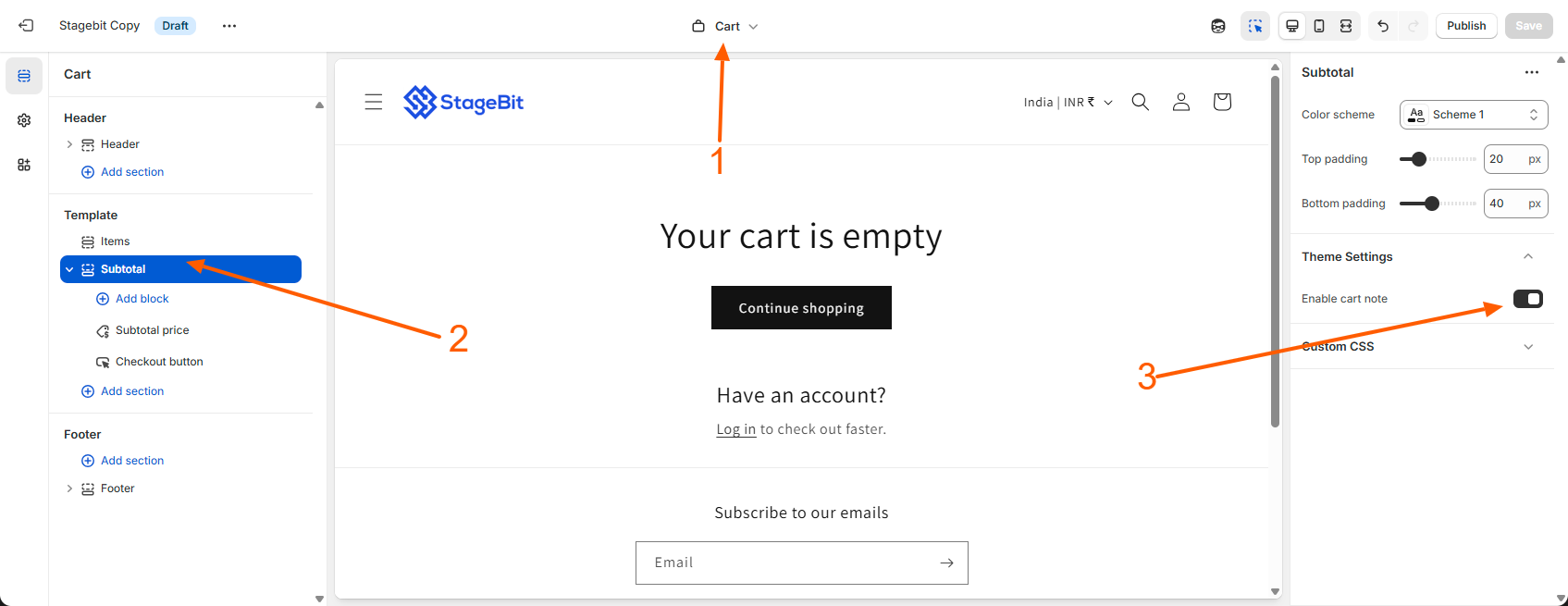
Step 2 – Select the Cart Template
→ At the top center, click the page selector dropdown
→ Choose the Cart page so you’re editing the cart template.
Step 3 – Enable Order Notes
→ In the left sidebar, click Sections
→ Scroll and select the Subtotal section
→ On the right side theme settings panel, find and toggle Enable cart note ON
→ Click Save
Step 4 – Edit the Order Notes Label
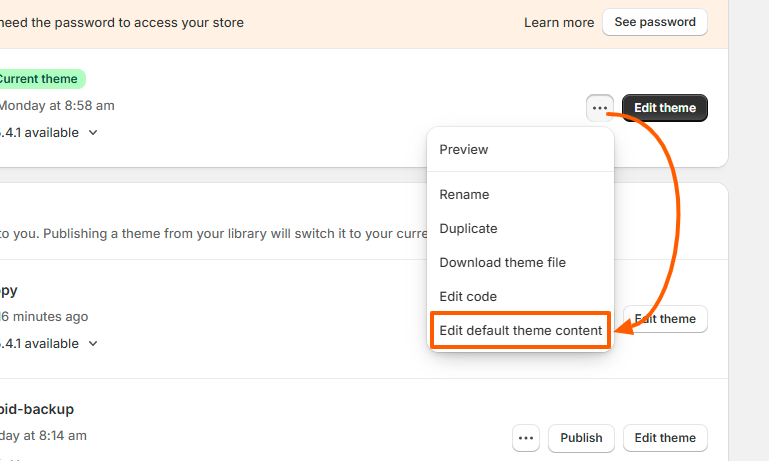
→ In the Shopify admin go to Online Store → Themes
→ Click ⋯ → Edit default theme content
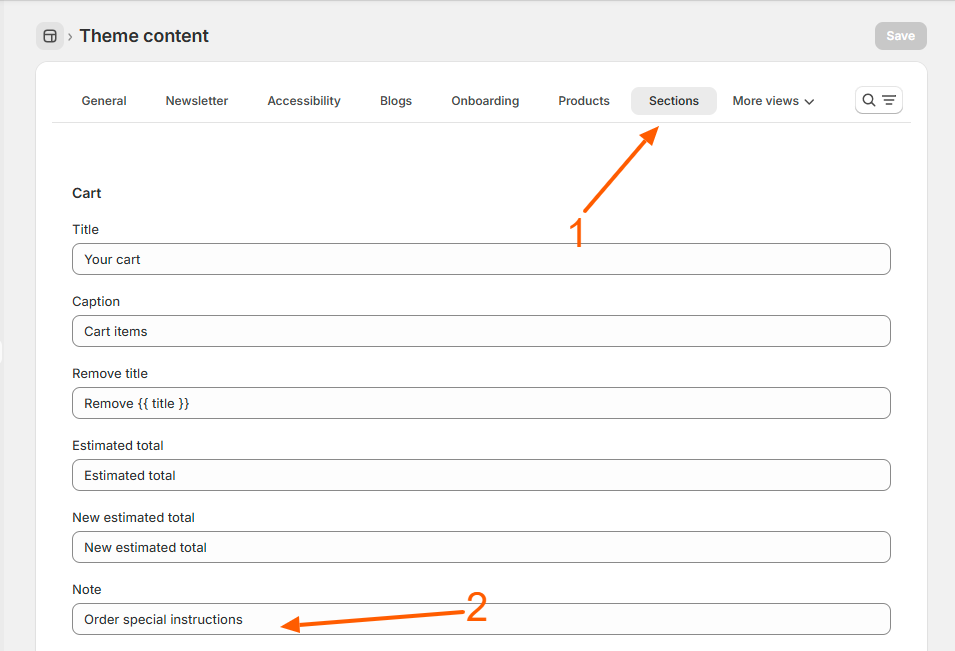
→ Click Sections
→ Scroll to the Cart section
→ Change the text in the Note field (Example: “Add gift message or delivery instructions”)
→ Click Save
Gift Message Option (Beyond Order Notes)
Shopify’s built-in order notes collect general instructions, but Shopify doesn’t natively provide a dedicated “gift message field” per product or in checkout. For true gift message features, you can use apps to add custom message fields.
Popular Apps to Add Gift Message Fields
Here are some apps that add dedicated gift message or personalization fields at cart or checkout:
- Order & Product Personalizer – Adds message boxes, engraving text, and custom options per product.
- Ultimate Gift Message – Adds gift message fields at cart with customization options.
- Gift Wrap & Gift Message – Adds optional gift wrap and message fields that sync with orders.
- Product Options & Customizer – Add multiple custom input fields including gift text, checkboxes, and file uploads.
→ Install the app you prefer from the Shopify App Store.
→ Configure where the gift field appears (cart page or product page).
→ Save settings and test with a sample product.
Important Notes
- Order notes apply to the whole order, not individual products.
- Gift message apps provide cleaner, dedicated messaging fields.
- Some apps can display gift text on packing slips or printed invoices.
Related Answers

Still need help?
Talk to our Shopify experts
We've handled GDPR/CCPA compliance for dozens of EU & US Shopify stores.