How do I add upsells or cross‑sells to the cart or checkout in Shopify?
Upsells and cross-sells help you increase your order value by showing customers better or related products before they complete checkout.
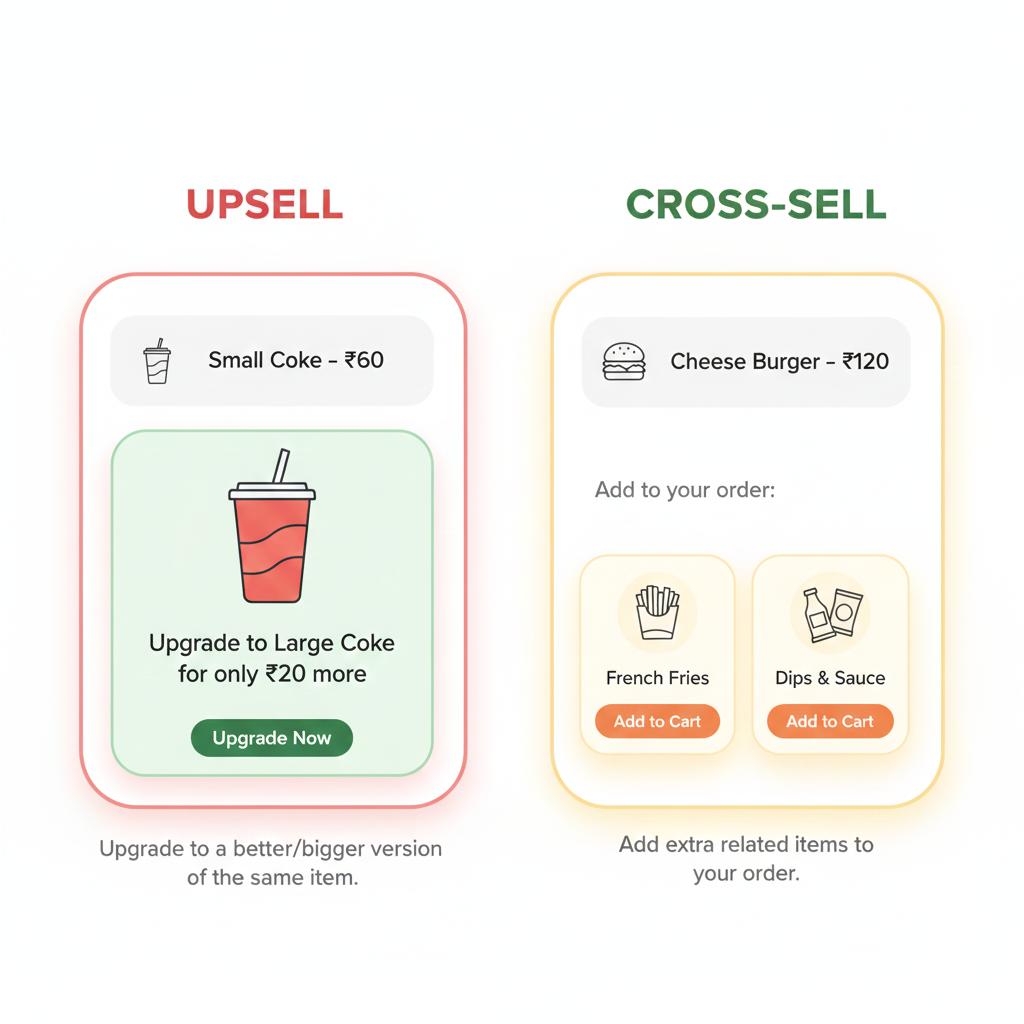
What is an upsell?
An upsell encourages customers to buy a higher-value version of the product they are already viewing.
Example:
Customer adds a 500ml shampoo → You suggest a 1-liter family pack at a better price per ml.
What is a cross-sell?
A cross-sell recommends a related product that matches the main product.
Example:
Customer adds a phone → You suggest a phone case or screen protector.
Where upsells & cross-sells can appear
- Product pages
- Cart page or cart drawer
- Checkout page (Shopify Plus)
- Thank you / Order status page
How to add upsells and cross-sells (no coding)
Step 1: Go to Apps → Shopify App Store
Step 2: Search for these apps:
- Frequently Bought Together
- Upsell & Cross Sell
- ReConvert
- Honeycomb Upsell
Step 3: Install the app
Step 4: Choose where offers should appear
Step 5: Select the products to recommend
Step 6: Save and test by adding products to cart
Shopify Plus merchants
Shopify Plus stores can also show upsells directly inside checkout using Checkout Extensibility without apps.
Upsell vs Cross-sell
| Upsell | Cross-sell |
|---|---|
| Upgrades the same product | Adds a related product |
| Increases product value | Increases cart size |
Why this matters
Well-placed upsells and cross-sells can increase your average order value by 10%–30% without increasing ad spend.
Related Answers

Still need help?
Talk to our Shopify experts
We've handled GDPR/CCPA compliance for dozens of EU & US Shopify stores.